An AI b-roll generator: your script names the real thing, your video shows it.
No more hunting clips, no more dragging them onto a timeline and trimming to the narration. Framesail reads your script, puts relevant real footage on the beats that need it, cuts it to your voiceover, and hands you the finished video.
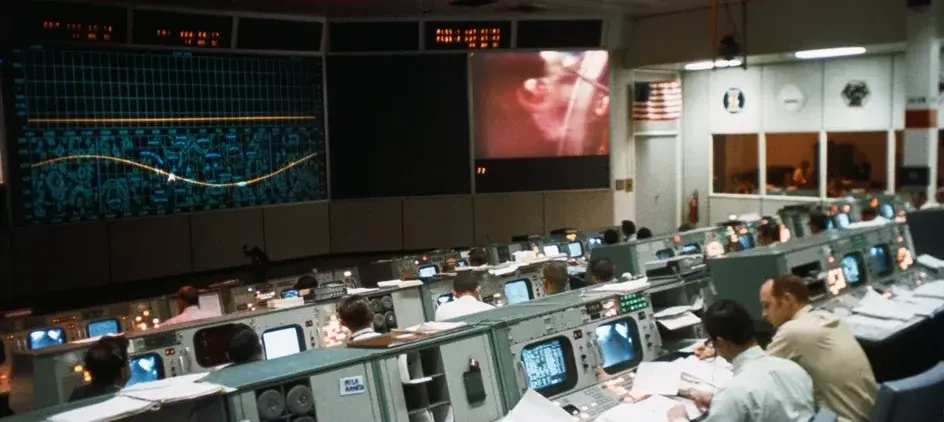
Real footage Framesail found and placed for an Apollo 11 explainer.
No searching. No stitching. No editing to the narration.
- Real footage wherever it belongs
- Cut to your voiceover
- Your look, start to finish
- A finished video, not a folder of clips
You write the script. Everything between that and the upload is done for you.
What you get
The real photo, inside your own art.
Your illustrated frame keeps its style. The real photograph sits inside it. No AI look-alike drawn next to it, no style break, nothing for a viewer to catch.

Two kinds of real
Real footage when the shot should be real. Real photos when they belong inside your art.
You never choose between authentic and on-brand. Each moment gets whichever the story needs.
Real footage, full screen
Places, machines, events
When the narration names a launch pad or a factory floor, the viewer sees the real one, edge to edge — the shot you'd otherwise spend an evening hunting for.
The real photo, inside your art
People, logos, book covers
The actual Neil Armstrong, the actual logo, sitting inside your illustrated frame — so your explainer keeps its look and still shows the real thing.
What a real video got
An Apollo 11 explainer with the real Apollo 11 in it.
A 54-second whiteboard explainer, produced without anyone opening a stock library. The real insignia, the real Saturn V, the real crew, real launch-pad footage — and the ideas nobody ever filmed, drawn.
What you skipped
Nobody opened a stock library, dragged a clip onto a timeline, or trimmed it to the narration. Your time goes on the story, not the search.
You tell the story.
Framesail finds the proof.
Set it once
Decide the rule once. Every video after follows it.
Tell your channel when real footage belongs, once, and you never think about b-roll again.
Documentary b-roll
Real footage carries the video: full-screen clips on every concrete moment, clean graphics in between.
Explainer with real inserts
Illustrated frames with the real thing set inside them: the actual logo, cover, or photo, in your look.
Or write the rule yourself, in one sentence: “Real footage for real places and hardware. Real photos of any person or logo I name. Keep ideas drawn.”
Questions
Questions about B-roll.
Does the AI b-roll generator create the footage?
No. It reads your script, decides where real footage belongs, finds the right clip, and cuts it into the video.
Where does the media come from?
Four sources: Pexels, Wikipedia, Wikimedia Commons, and Open Library.
Do I pick each clip myself?
No. Framesail reads the script, decides where real footage belongs, finds the clip, and places it. You review the finished video before you publish.
What happens when nothing good is found?
That moment is drawn in your look instead. Nothing is left blank, and the video still reads as one piece.
How do I turn it on?
Pick the documentary b-roll look or the explainer-with-real-inserts look when you set up your channel, or tell your channel style in one sentence when you want real footage.
Can I use the fetched media commercially?
Pexels footage and photos, yes. Encyclopedic images carry their own licence, and Framesail records it with each one so you can check before you publish.
See it at work on a whole format: the AI documentary generator. It runs on the same long-form AI video generator and script to video AI as every other video.
Show the real thing. Skip the search.
Your next explainer shows the real place, the real person, the real footage — without you hunting for any of it.