How to Make Faceless YouTube Videos, Start to Finish
How to make faceless YouTube videos, step by step: pick a niche, generate a script and voiceover, produce the visuals, and assemble the final cut. Start today.
By Hayden · Cofounder, Framesail
A faceless YouTube video tells a story without ever showing your face or using your own voice: narration running over visuals, from the first frame to the last. To make one you run the same short production line every time, and each step now has a tool that carries most of the load. This guide covers how to make faceless YouTube videos that hold attention: the full workflow, the step where beginners stall, and how to pick a niche a new channel can actually win.
None of it needs a camera, a microphone, or an on-screen presence. It needs a process.
What a faceless YouTube video is actually made of
Strip a faceless video down and there are five parts. They always arrive in the same order.
- A niche. The subject the channel covers, which decides who watches and what advertisers pay against it.
- A script. The narration, written for the ear rather than the page.
- A voiceover. That script read aloud by a synthetic voice.
- Visuals. The footage, images, or animation the narration plays over.
- Assembly. The cut that syncs voice to picture and exports one finished video.
Get those five right, in that order, and you have a video. Most beginner channels fall down on the fourth part, the visuals, because that is where the real work has always lived.
How to make a faceless YouTube video, step by step
The workflow is the same whether you make one video a month or one a day. The difference is how much of each step you automate.
- Pick a niche you can produce every week. Consistency beats ambition here. Choose a subject with a deep well of episodes and a format that is already working for new channels. If you are still deciding, start from faceless YouTube channel ideas and the niche section below.
- Write the script for the ear. Short sentences, one idea each, a hook in the first ten seconds. Read it out loud; anything you stumble over, the voice model will stumble over too. You can draft it yourself or generate it from a brief and edit down.
- Generate the voiceover. A modern synthetic narrator is the difference between a channel that sounds like a channel and one that sounds like a screen reader. ElevenLabs v3 and MiniMax Speech 2.8 HD both hold tone across a full long-form read, which is what faceless narration lives and dies on.
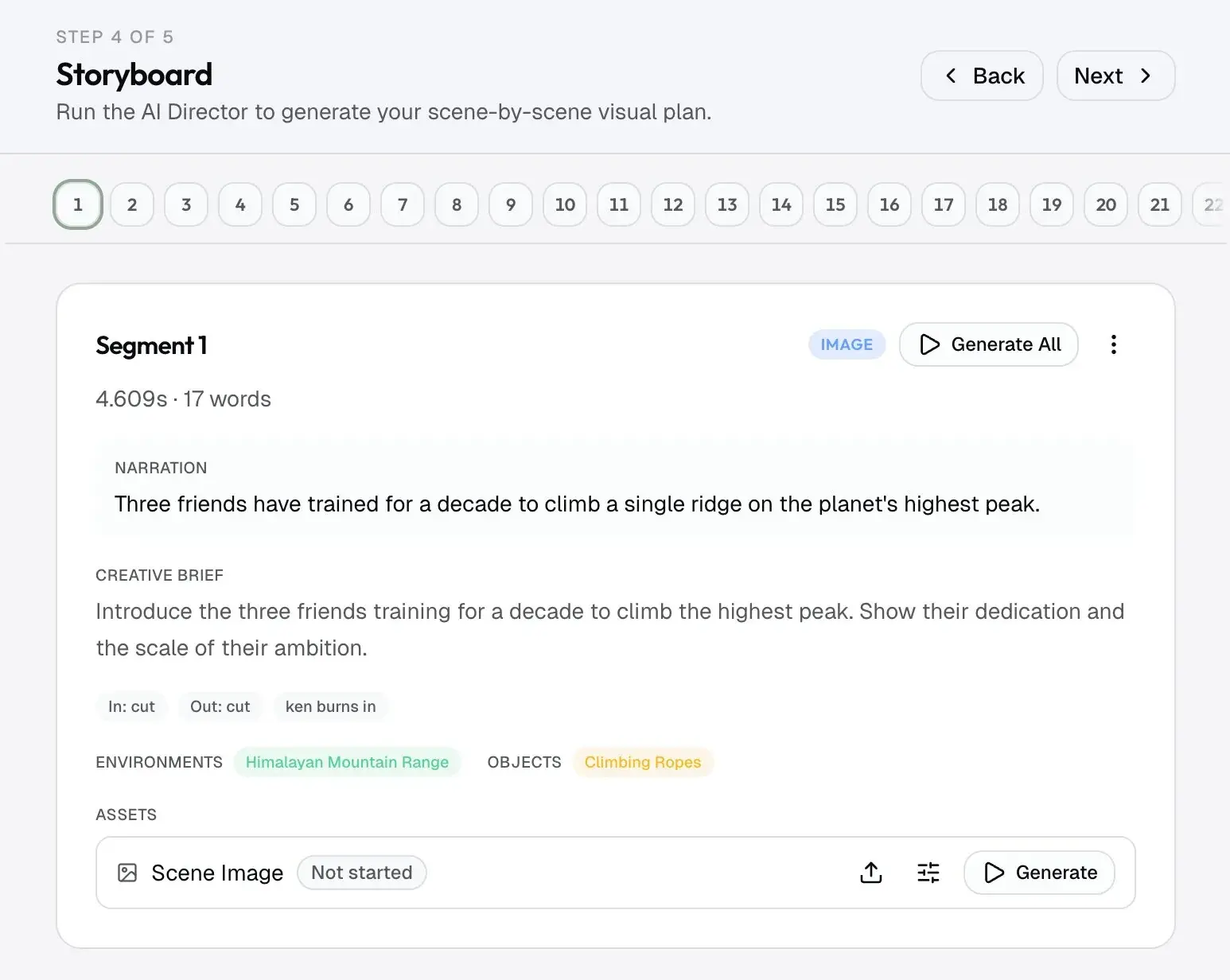
- Produce the visuals. This is the step that separates a real channel from a slideshow. You have three honest options: license stock footage, generate stills with image models like Nano Banana Pro or GPT Image 2, or generate motion with video models like Veo 3.1, Kling v3, or Seedance 2 Pro. Whichever you pick, the visuals have to track the narration scene by scene, not float behind it as wallpaper. If you're unsure which kind of tool fits this step, which AI video generator to use breaks it down by layer.
- Assemble and export. Sync the voiceover to the visuals, add captions and light motion, and render the final cut. This is a Remotion-style motion-graphics job: timed, repeatable, and exact.
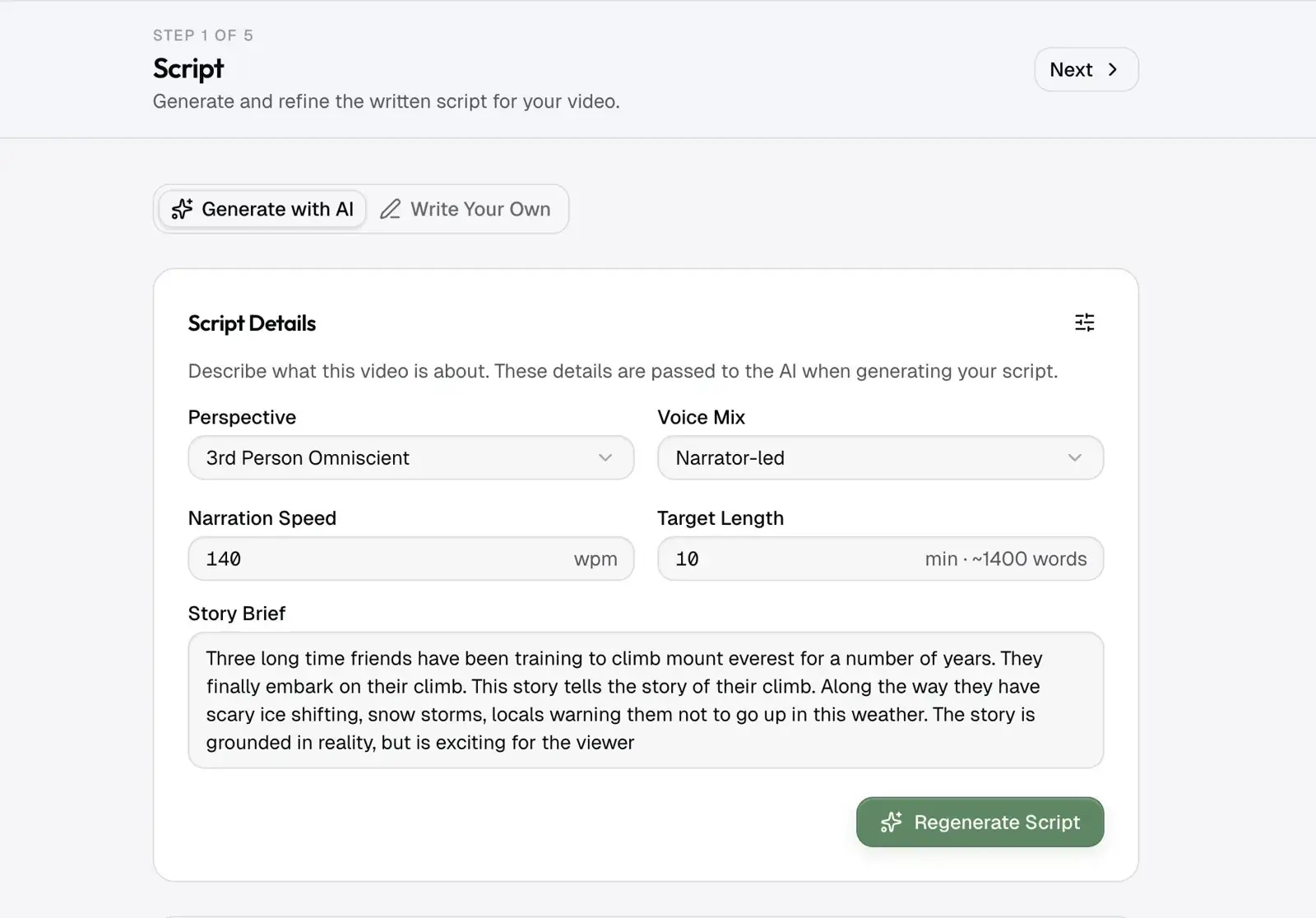
That is the whole line. The trap is treating it as five separate tools stitched together by hand, because the seams between steps are where quality leaks out. YouTube automation tools covers which tools do each job if you stitch them yourself.
Where beginners get stuck
Three things break faceless videos, and all three live in the visuals.
- Characters and settings drift. Generate each shot in isolation and the narrator's face, the room, the color grade all shift between cuts. The audience cannot name what is wrong, but they feel it, and they leave. The fix is locking a character and a world to reference images that every shot renders against.
- The generic stock look. Footage that clearly came from a stock library reads as low-effort, and YouTube has grown less patient with mass-produced AI content. Original, consistent visuals are what keep a faceless channel on the right side of that line.
- The assembly tax. Cutting voice to picture by hand is where an afternoon disappears. If the visuals are already planned scene by scene against the script, assembly stops being a separate job.
Beginners who ship consistently are the ones who solved the visuals as a system, not one clip at a time.
Picking a niche a new channel can win
YouTube recommends the video it thinks will keep people watching. When two videos are nearly the same, it picks the one from the channel with subscribers and a record in that topic, so a new channel that copies a popular video loses every time. The way in is a format people are proven to click, on a topic nobody big is covering yet.
- Find outliers on new channels. Look for a video that did far better than the rest of its channel, on a channel about 3 months old or less, with 20 videos or fewer. That shows what YouTube will push from a channel like yours. Here's how to find outlier videos.
- Bend it, don't copy it. Keep the title structure and thumbnail style, and aim them at a neighbouring topic nobody has made yet.
- Choose a style AI does well. Whiteboard, stick-figure, 2D, cartoon and illustrated history videos hold up. Realistic talking people usually look like AI.
If the first videos still get no views, look at impressions before you change anything else.
The camera was never the hard part. The consistency was. Holding it by hand, video after video, is the part that wears channels down.
FAQ
Do you need to show your face or use your own voice to make faceless videos?
No. That is the entire point of the format. Narration comes from a synthetic voice, and the visuals carry the story, so nothing on screen or in the audio has to be you. A faceless channel can run indefinitely without a camera or a microphone.
Will YouTube monetize a faceless channel?
Yes, as long as the content is original and adds real value. YouTube monetizes based on original, engaging content, not on whether a human appears on camera. Mass-produced, low-effort uploads are what get flagged, so the bar is quality, not a face. Google spells out the current rules in its YouTube Partner Program overview.
How much do faceless YouTube channels make?
It varies a lot by niche and audience. Once a channel is monetized, earnings follow RPM, YouTube's revenue per thousand views after its cut. But a channel earns nothing until YouTube shows its videos, so the first job is getting views: a format that's already working for new channels, bent onto a topic nobody big is covering yet.
What is the best niche for a faceless YouTube channel?
The one where a new channel can win: a format that is already working for other new channels, bent onto a topic nobody big covers yet, in a visual style AI does well. Avoid niches you will run dry in a month, and avoid copying a popular niche exactly after everyone else has.
How long does it take to make one faceless video?
By hand, a single long-form faceless video is a full day once you count scripting, voiceover, sourcing visuals, and editing. Run the steps as one pipeline and the same video is a short review pass instead of a day of assembly. Renders still take real minutes, not seconds.