YouTube Automation Guide: How to Start a Channel in 2026
This YouTube automation guide covers how to start a faceless channel in 2026: the real costs, the rules, and the workflow that ships videos worth finishing.
By Hayden · Cofounder, Framesail
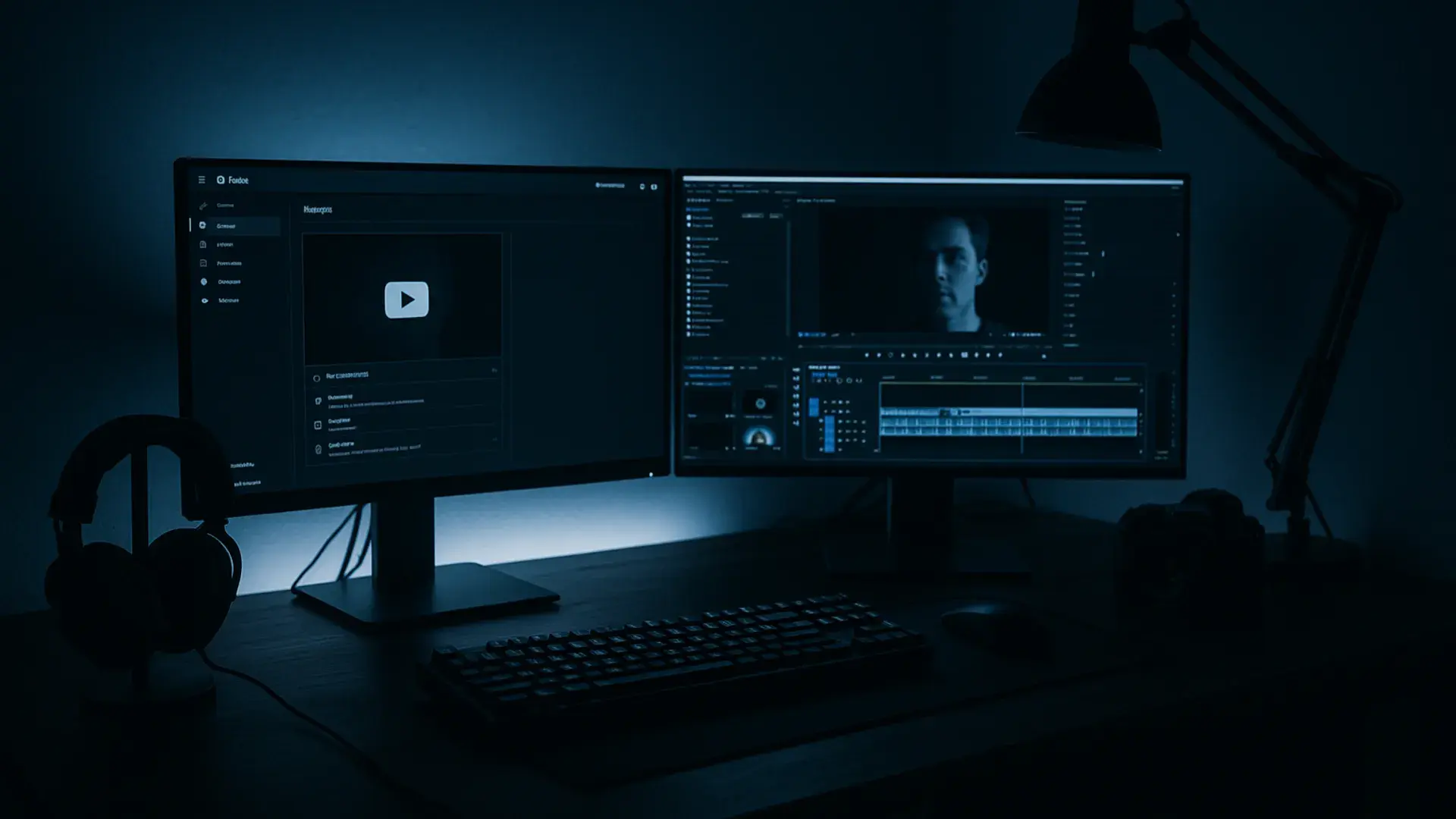
Search "youtube automation" and the first thing you'll see is a number. $10,000 a month, a laptop on a beach, a channel that runs itself while you sleep. That's the pitch. The reality is closer to running a small media company: someone still writes the script, someone still picks the footage, someone still has to make a video worth finishing.
This YouTube automation guide is the version nobody selling a course will give you: what automation actually is, what it costs, what YouTube allows, and the step-by-step workflow to start a channel in 2026 without spending six months learning that "hands-off" was never true. The model works. The dream attached to it mostly doesn't.
What is YouTube automation, actually?
YouTube automation is a misleading name. Nothing about it is automatic in the way the word implies. It's a production model: you run a channel (usually faceless) by systemizing and delegating the work instead of doing all of it yourself. The "automation" is the system, not a button you press.
In practice it splits into two approaches that get lumped together.
- Delegation. You're the owner-operator. You hire freelancers or an agency for scripting, voiceover, editing, and thumbnails, and you manage the pipeline. This is closer to running a studio than running a channel.
- AI production. You replace some or all of those roles with models: a script model, an image model, a video model, a voice model. Faster and cheaper per video, but the quality ceiling is set by how well you direct the tools.
Most channels that last use a mix: AI for the parts that scale, a human for the parts that don't. The word "faceless" describes the format (no presenter on camera). "Automation" describes how the work gets made. They overlap, but they aren't the same thing, and conflating them is how a lot of beginners end up building the wrong channel.
What kind of videos work for automation
Not every format survives the faceless, automated treatment. The ones that do share a trait: they're carried by information or narrative, not by a person on camera.
- Educational explainers. "How X works," breakdowns, deep-dives. Script-driven, visually flexible, evergreen. The strongest fit, and usually the best RPM.
- Narrated documentary. History, true crime, case studies. Long-form and high-retention when the story is real, but heavy on writing and pacing: the parts you can't shortcut.
- Listicles and rankings. "Top 10," "best of," tier lists. Easy to script to a formula, which is also the risk: a formula tips into "repetitive" the moment every video looks identical.
- News and commentary recaps. Timely, but only if you add a take. A straight recap of someone else's footage is the textbook reused-content violation.
- Compilations. The cheapest to make and the first to get flagged. Stitching other people's clips under a voiceover is the format YouTube's enforcement was written for. Skip it unless you're adding real original framing.
The pattern holds: formats that reward writing and a point of view automate well. Formats that reward scale and repetition automate straight into a demonetization. Build from the top of that list, not the bottom.
Is YouTube automation legit?
Yes, with a line you can't cross. YouTube doesn't care whether a human or a model made the video. It cares whether the video adds something. Its channel monetization policies draw the boundary at "inauthentic content" (mass-produced or repetitive videos built from a template with little variation) and "reused content" that repackages someone else's work without meaningful commentary or change.
That rule is the whole game. A faceless channel that scripts an original take, generates original visuals, and adds a real point of view is fine. A channel that scrapes clips, runs them through a text-to-speech voice, and uploads ten near-identical videos a day is the exact thing the policy exists to demonetize.
The 2025–2026 enforcement updates sharpened this. "Repetitious" became "inauthentic," and reviewers now assess the channel as a whole, not just one video. Get flagged and the penalty lands on everything, not the single upload. So the legitimacy question answers itself: automation is legit to the exact degree that you're adding value a viewer couldn't get from the source material alone. Below that line, it's a demonetization waiting to happen.
What it costs to start a YouTube automation channel
The honest cost depends entirely on the model you pick.
Fully delegated. Hiring out scripting, voiceover, editing, and thumbnails runs from $25–$80 at the lean freelancer level to $200–$500 for high-production documentary-style work, more through an agency. A channel posting weekly runs roughly $800–$1,800 a month for an offshore mid-level editor handling four long-form videos plus shorts before it earns a cent. This is the version that looks most like "passive income," and it's the most expensive to keep passive.
AI-assisted. A stack of AI tools (script model, image model, voice model, editor) runs from about $47 a month for a budget setup to $180 for specialist software, regardless of how many videos you make. The per-video cost collapses. The trade is that you're now the director, and the output is only as good as your direction.
Hybrid. Most operators settle here: AI for the first 80% of the work, a few hours of human editing for the last 20% that decides whether the video retains. Call it more than the pure-AI subscription and well short of full delegation, plus your time.
None of these include the real cost, which is the one nobody quotes: the three to six months before the channel earns anything. YouTube's Partner Program doesn't turn on ad revenue until you hit 1,000 subscribers and 4,000 valid public watch hours in 12 months, or 1,000 subscribers and 10 million Shorts views in 90 days. Budget for the runway, not just the tools. That runway is where most channels quit — not because the production got hard, but because nothing paid them back through those early uploads, and the subscription bills kept arriving anyway.
How to start YouTube automation, step by step
The workflow is the same whether you delegate it or generate it. Seven steps.
- Pick a niche before you pick a tool. The niche decides your RPM, your audience, and whether you'll still care in six months. Every step after this inherits from it, so don't start with the software.
- Validate demand. Before producing anything, confirm people search for and watch this topic. Look at whether existing channels in the niche are growing, what their best videos have in common, and where the comments say viewers are underserved. If nobody's watching, automation just helps you publish into a void faster.
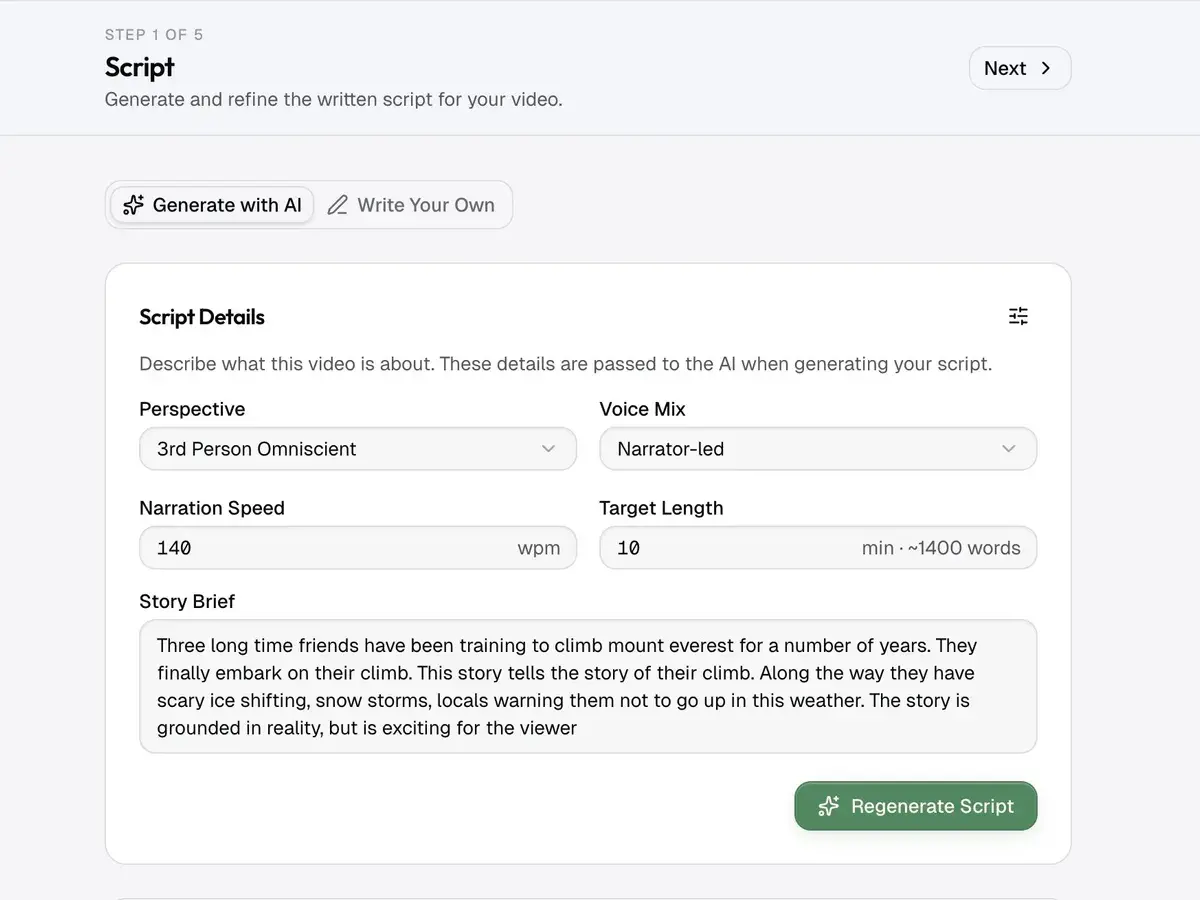
- Write a script with a point of view. The script is the video. A faceless channel is carried entirely by what's said and what's shown: there's no presenter charisma to lean on. Whether a writer or a model drafts it, the script needs an angle a viewer couldn't get from the first Google result.
- Produce the voiceover. This is where cheap channels give themselves away. A flat text-to-speech read tanks retention in the first 30 seconds. Cinematic-grade voice models like ElevenLabs, directed with pacing and emphasis, hold attention far closer to a human read than the default settings do.
- Build the visuals. B-roll, footage, or generated frames that match the script line by line. Generic stock that doesn't tie to what's being said reads as filler and bleeds viewers; relevance beats production value every time.
- Edit for retention. Cut the dead air, vary the pacing, treat the hook as its own unit, change the visual every few seconds. This is the 20% of the work that decides whether the channel compounds or plateaus, and it's the part automation is worst at.
- Publish, measure, iterate. Ship on a schedule and read the retention graph on every video: in YouTube Studio, open a video's Analytics and switch to the Engagement tab, where the audience-retention curve shows exactly where viewers leave. A cliff in the first thirty seconds means the hook is wrong; a slow bleed through the middle means the pacing is; a small rewatch spike marks a moment worth doing more of. Feed each read back into the next script. The channels that win treat every upload as a data point, not a finished product.
Picking a niche that actually pays
Niche selection is the highest-leverage decision in the whole process, and the one most automation courses get backwards. The advice to "follow high-RPM niches" (finance, business, tech) is half right. High RPM with no audience is still zero revenue.
Five things to weigh:
- RPM: finance, software, and B2B topics pay multiples of what entertainment or gaming do per thousand views.
- Demand: is there steady, evergreen interest, or did the topic spike once and die?
- Visual feasibility: can this be told with b-roll, graphics, and voiceover, or does it need a face? Some niches resist the faceless format.
- Beatable competition: a niche with weak top channels is an opening; one with polished incumbents is a wall.
- Durability: will you still be able to write about this in 200 videos? Burnout kills more automation channels than the algorithm does.
The sweet spot is a topic with real RPM, evergreen demand, and incumbents whose videos you can honestly say you'd make better. That last filter matters more than the first.
Where YouTube automation breaks
Here's the part the dream skips. The bottleneck in automated video was never generation: it's everything after it. Producing a faceless video with a script to video AI is the easy part now. Making one a viewer finishes is still hard, and it's where most automated channels quietly fail.
The failures cluster:
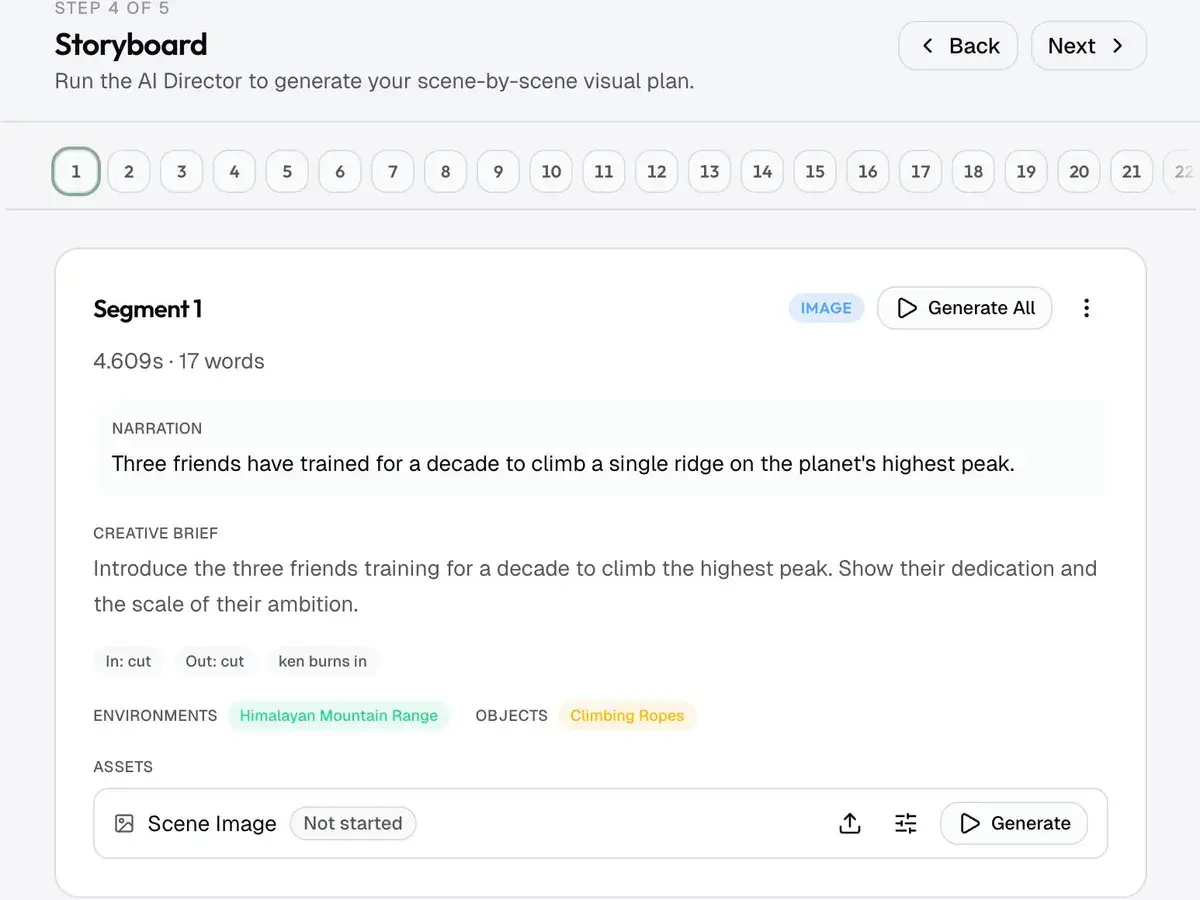
- Generic visuals. B-roll generated prompt-by-prompt without re-reading the script puts a city skyline under a sentence about something else entirely. The mismatch reads as cheap.
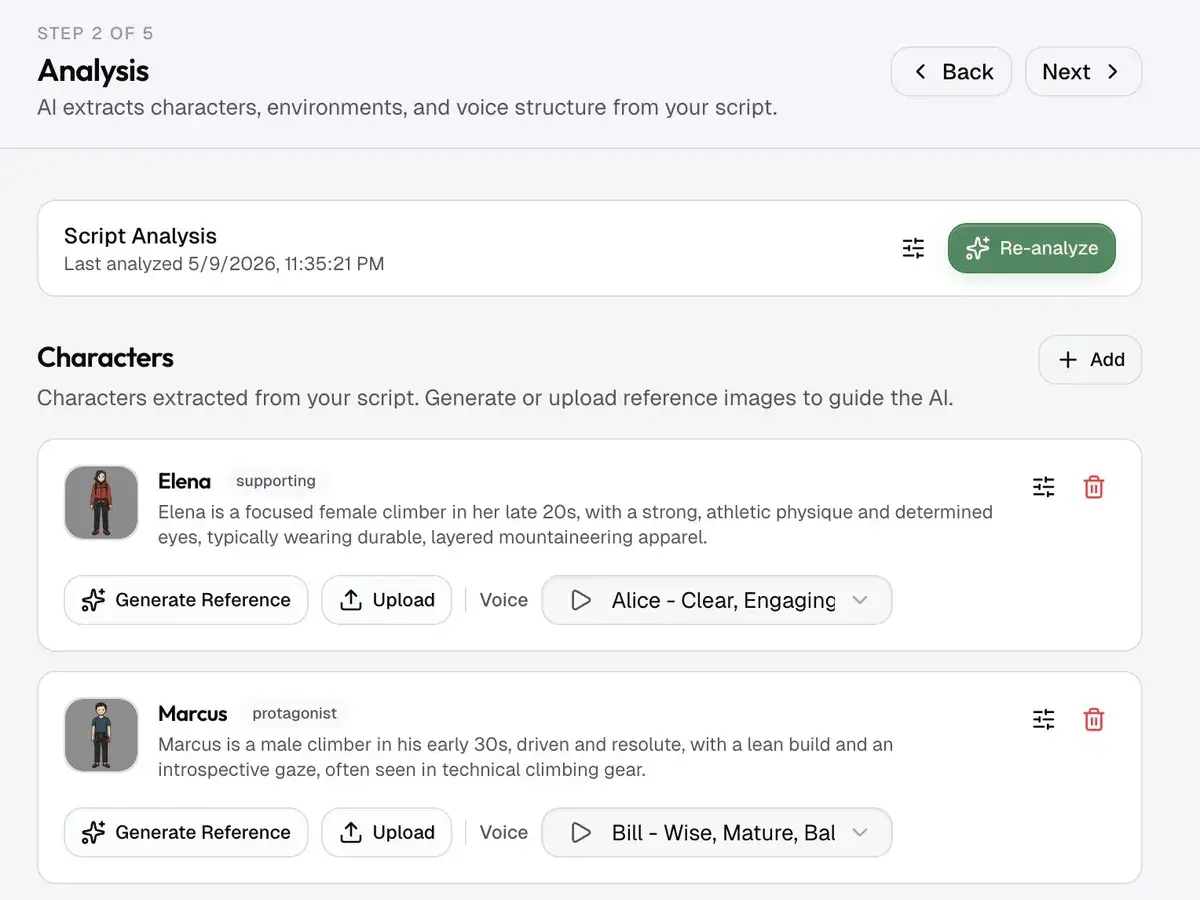
- Character drift. Any recurring character (a narrator avatar, an explainer figure) changes face shot to shot unless the pipeline carries a locked reference. We wrote a full breakdown of how character consistency holds across long-form AI video; it's the difference between a channel that looks intentional and one that looks generated.
- Flat pacing. Tools that render every clip at the same length produce exactly the monotony a retention graph reads as "nothing's happening."
- The hook treated as scene one. Most workflows generate front-to-back, so the most important 30 seconds gets the same treatment as the rest.
We went deeper on the editing side of this in what actually holds retention on faceless YouTube videos. The short version: automation gets you a video that looks fine and retains poorly, unless you fight the defaults.
FAQ
Is YouTube automation worth it in 2026?
It can be, if you treat it as a business and not a passive-income scheme. The channels that work put real editing and a genuine point of view on top of automated production. The ones that don't (the scrape-and-reupload farms) get demonetized or ignored. Whether it's worth it depends entirely on which one you build.
Is YouTube automation legal?
Yes. There's nothing against YouTube's rules about running a faceless channel or using AI to produce videos. The line is content quality, not authorship: YouTube demonetizes "inauthentic" mass-produced and "reused" content regardless of whether a human or a model made it. Add original value and you're inside the rules.
How much money can a YouTube automation channel make?
Anywhere from nothing to a full-time income. Earnings depend on niche RPM, retention, and consistency: none of which automation fixes for you. A channel in a high-RPM niche with strong retention can earn well; the same production process in a saturated niche with weak retention earns close to zero.
Can you really automate a YouTube channel completely?
No, and the channels that try are the ones that get flagged. You can automate production — drafting, voiceover, b-roll, assembly. You can't automate judgment: the niche, the angle, the hook, and the final cut still need a person. "Hands-off" is the part of the pitch that isn't true.
How long until a YouTube automation channel makes money?
YouTube's Partner Program requires 1,000 subscribers and 4,000 public watch hours in 12 months before ad revenue starts.
What's the best AI tool stack for YouTube automation?
There's no single best tool: there's a stack (a script model, an image model, a video model, and a voice model, plus an editor to tie them together). The frontier options as of 2026 are models like Veo 3.1 for video, Nano Banana Pro for images, and ElevenLabs for voice. We broke the full stack down by job in youtube automation tools: the stack that works. The harder question is whether they hand off to each other cleanly or leave you stitching exports by hand.
How framesail handles it
The failure modes above are the ones framesail is built around. It runs the whole production spine — script, storyboard, image set, animated frames, voiceover, motion graphics — as one six-station pipeline on frontier models you pick per job: Veo 3.1, Kling, or Seedance for video, Nano Banana Pro or GPT Image 2 for images, ElevenLabs v3 or MiniMax Speech 2.8 HD for voice, and Remotion for motion graphics. The hand-off between each step replaces the exporting you'd otherwise do across a dozen disconnected tools.
Characters, environments, and props are created once and their references carried into every shot, so identity holds across the video. Visuals are storyboarded straight from the script, and pacing varies by section instead of running at a fixed cadence. None of that makes the channel hands-off — you still decide the niche, the angle, and the final cut — but it removes the drift and the mismatched b-roll that make most automated video look automated.
To try it, start a project.
Automation was never the hard part. Making a video worth finishing still is — and that's the part worth building your channel around.